Error: Failed Backup and Lingering Checkpoints - Manual Cleanup
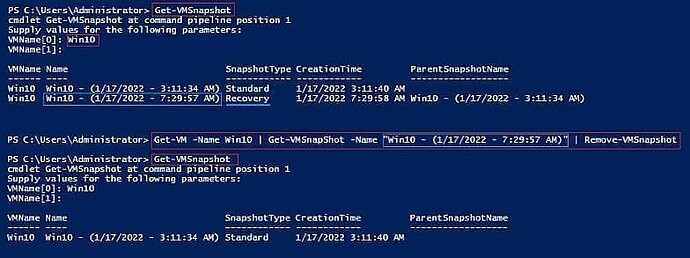
You can delete the lingering checkpoint after a failed backup workflow by using PowerShell. Do the following:
Run PowerShell as the Windows administrator.
Find out the exact name of the recovery checkpoint with the command:
Get-VMSnapshot
Run the command: Get-VM -Name | Get-VMSnapShot -Name | Remove-VMSnapshot
Use the Get-VMSnapshot command once again to check if the snapshot’s deletion has been completed successfully.