
Below is in addition to the downloaded doc for setup.
Section 2.2
- Step 5. UI Change, Wording Changed. Correct option present.
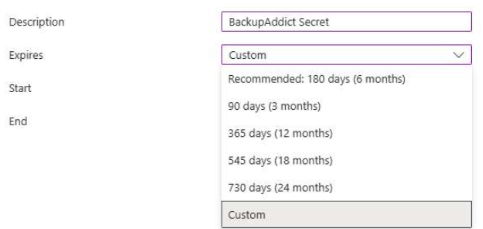
- Step 11. You can no longer set the expiration date to “Never”, but put in an end time. Max allotted time is 2 years. Can’t go further under “Custom”
Section 2.3
- Step 8/9 Grant consent failed with error: Claim is invalid: Directory.Read.All does not exist in client application's RequiredResourceAccess. [QmUKdcee33Mut/glAi3f5j] – Directory.Read.All needed to be added prior to adding anything else first.
